
When to use it
Code that lives elsewhere
The repository and its dev stack are on another machine and you would rather not clone or sync it locally.
Heavier compute
Builds, tests, and agents run on a box with more cores, more RAM, or the right GPU.
The right environment
Services, databases, and toolchains are already set up on the remote and you want agents to run against them.
How it connects
ADE adds the remote over SSH using the same connection details you already use from a shell. The desktop spawns a lightweight ADE bridge on the far side and tunnels its control protocol back over the SSH channel — so lanes, chats, diffs, and PRs all behave exactly as they do locally, just backed by the remote’s filesystem and runtime.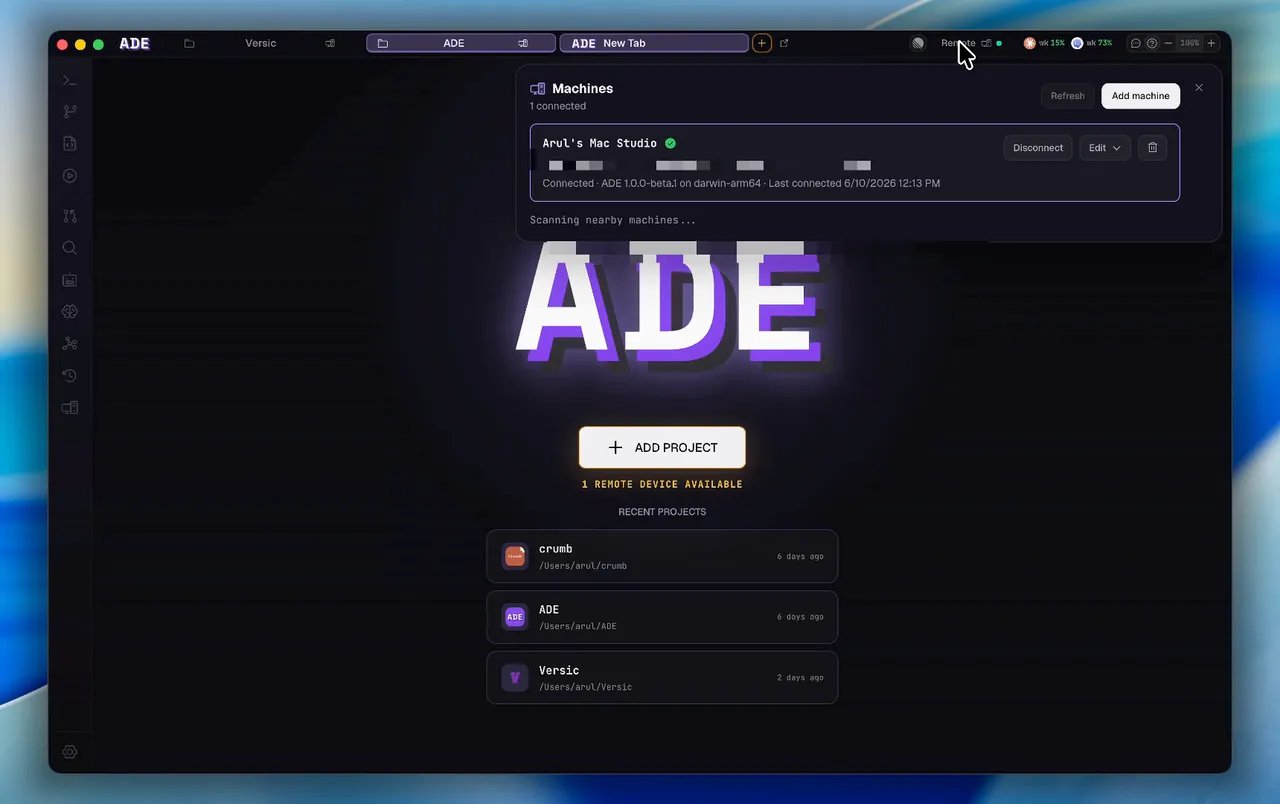
Add a remote machine over SSH
1
Add the machine
Give ADE the SSH target for the remote box. ADE bootstraps its runtime there on first connect.
2
Pick a project
Choose the repository on the remote you want to work in. It becomes a normal ADE project, backed by the remote filesystem.
3
Work as usual
Create lanes, run agents, review diffs, and open PRs from the desktop. Everything executes on the remote.
The desktop still drives everything
Connecting a remote does not move ADE off your own machine. The desktop app remains the control plane: you compose prompts, approve diffs, and merge PRs locally, while the agent processes, builds, and tests live on the remote. The remote’s own GitHub, Linear, and provider credentials are used for work that happens there.Remote machines run macOS, Linux, or Windows. A Windows desktop can drive them when it is running an installed release build — a locally packaged Windows build ships no macOS or Linux runtime payloads and will refuse. Windows targets must be Windows 10 22H2 or Windows 11 x64 with OpenSSH Server and PowerShell 5.1 or newer; WSL, ARM64, and Windows Server are not supported. See ADE on Windows.
ade code can attach to the same saved remote machines from a terminal — useful when you are already SSH’d somewhere and want the TUI instead of the desktop window. See ade code.Attach to a remote from the terminal
Attach to a remote from the terminal
ade code remote reads the same saved remote-machine registry as the desktop app:ade code remote --help to see every flag.Or install the brain on the box instead
SSH remotes are driven by your desktop: it bootstraps the runtime on the far side and tunnels the connection. The alternative is to install ADE’s brain on that machine directly and connect it to your account:Connect a machine
Install the brain on a server and put it on your account.
ade code (terminal)
Drive ADE from a fast terminal UI, locally or over SSH.
Architecture
How the control plane, runtime, and clients fit together.