
When to use the grid
One task, many models
Send the same prompt to Claude, Codex, and Cursor, then keep the best result.
Many tasks, one screen
Tile one agent per lane and supervise a whole batch of parallel work.
Race a hard problem
Let several agents attempt the same fix and compare diffs before committing.
Send one prompt to several models
Compose a prompt once and launch it across the models you pick. Each runs in its own tile with its own transcript, diff, and approval gate.
Pick the models to run, then launch them together from one prompt.
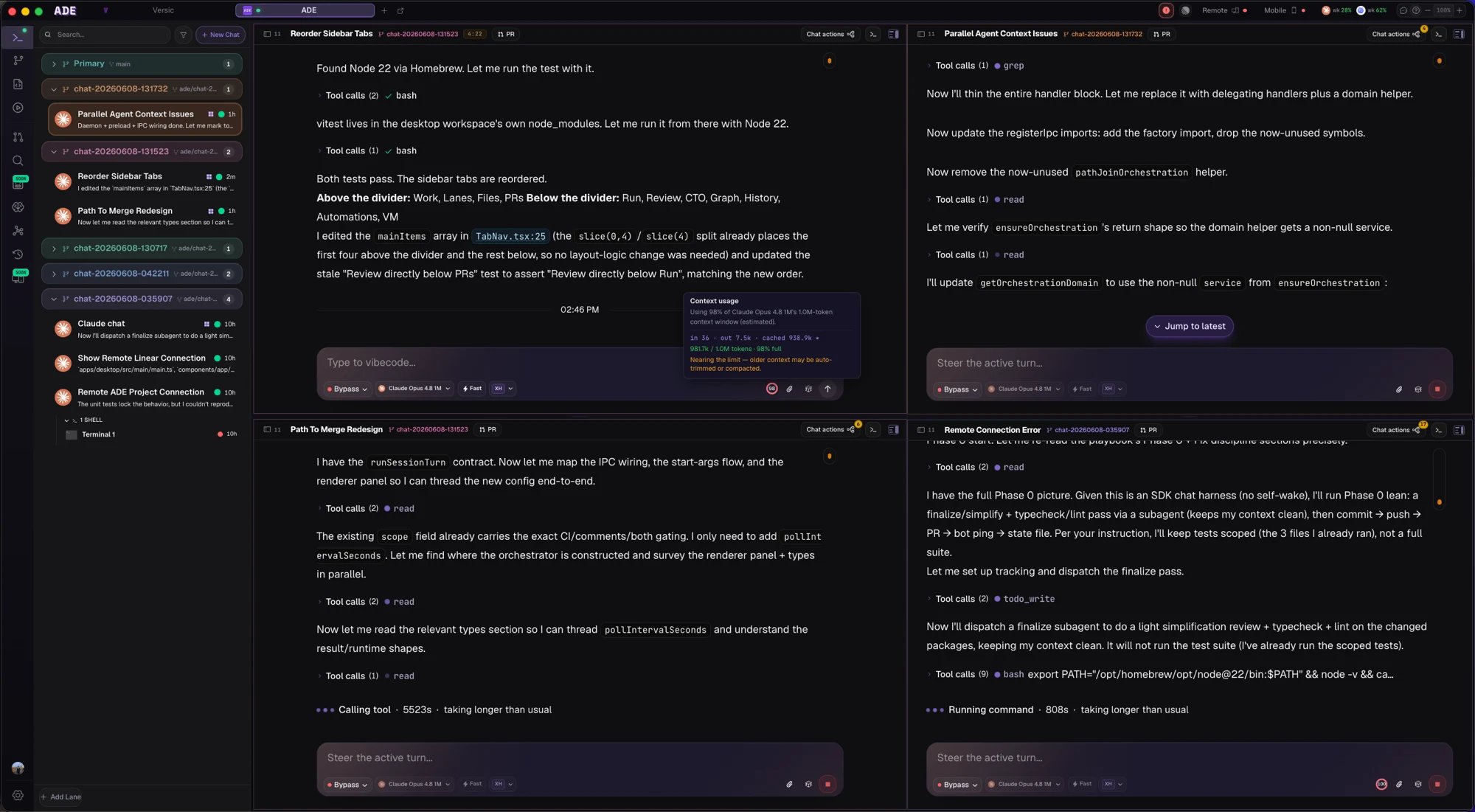
Every run lands in its own tile — compare side by side.
Keep what works
Each tile is a full chat. Open one to read the full transcript, inspect its diff in Files, or promote its work to a PR — and close the rest. Nothing is committed until you say so.Agent chat
How a single lane-scoped chat works.
Multi-agent setup
Patterns for splitting work cleanly across agents.