
main, so a large change ships as several small, reviewable PRs that land in order rather than one giant branch.
main — so the diff shows only that slice’s changes.
Why stack
Smaller reviews
One reviewable PR per slice instead of a thousand-line branch nobody wants to read.
Build before landing
Start feature B on top of feature A before A merges, without waiting or duplicating work.
Land in order
Merge the base PR first, then each child in turn — ADE keeps the chain rebased as you go.
Create a stack
1
Create the base lane
Branch the first slice from
main or your default branch like any other lane.2
Add a child lane
Select the parent lane and choose New child lane. Its branch is based on the parent’s branch, so its diff starts from the parent’s work.
3
Repeat only as needed
Each new child stacks on the one above it. Keep stacks shallow — two or three levels are far easier to review than six.
A child only tracks its parent when the parent is a real (non-primary) lane. A lane parented to the primary lane compares against your default branch instead — which is why you create children off other working lanes, not off the repo root.
Work with a stack
- Open each lane’s PR, bottom to top.
- Child PRs automatically target their parent’s branch.
- Merge the base PR first, then walk up the stack.
- When the parent advances, ADE keeps the children current (below).
- Open the graph when the stack gets hard to picture.
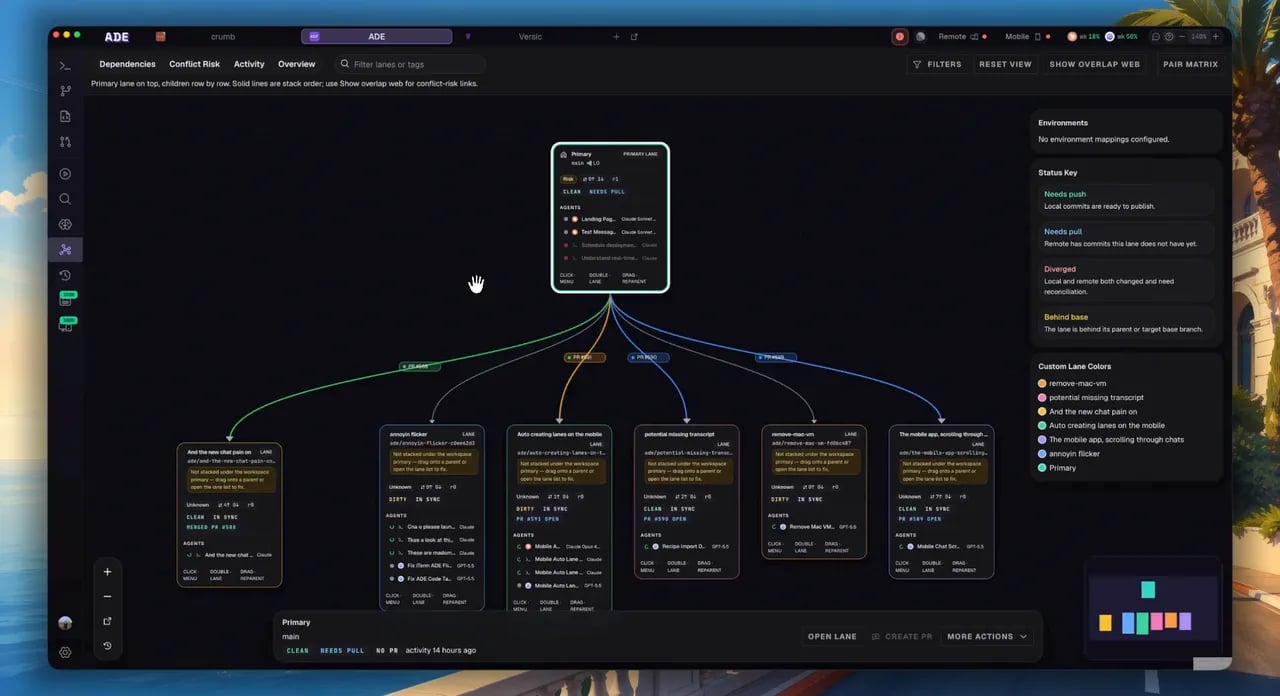
The worktree graph shows the stack, its PR links, and merge order at a glance.
Rebase propagation when the parent moves
When a parent lane’s branch advances — new commits, or the base PR merges — its children are now behind. ADE notices and suggests a rebase on the affected child lanes, surfaced as an inline banner with Rebase now, Snooze, or Hide. Run it and ADE rebases the lane (and, by default, its descendants) onto the freshly advanced parent, in parent-to-child order so each child rebases onto an already-rebased parent. You can also reorganize a stack after the fact: the manage dialog’s stack section lets you pick a new parent lane (or override the base branch), and ADE rebases the lane onto the new base. It refuses moves that would create a cycle — you can’t reparent a lane under one of its own descendants, and the primary lane can never become a child.When not to stack
Stack only genuinely dependent work. If two tasks can merge in either order, give them sibling lanes off your default branch instead — independent PRs are simpler to review and don’t block each other. A stack is the right tool only when slice B literally builds on slice A’s not-yet-merged changes.Stacked PRs guide
The end-to-end review and merge flow for a stack.
Workspace graph
See stack relationships, PR links, and merge order.