
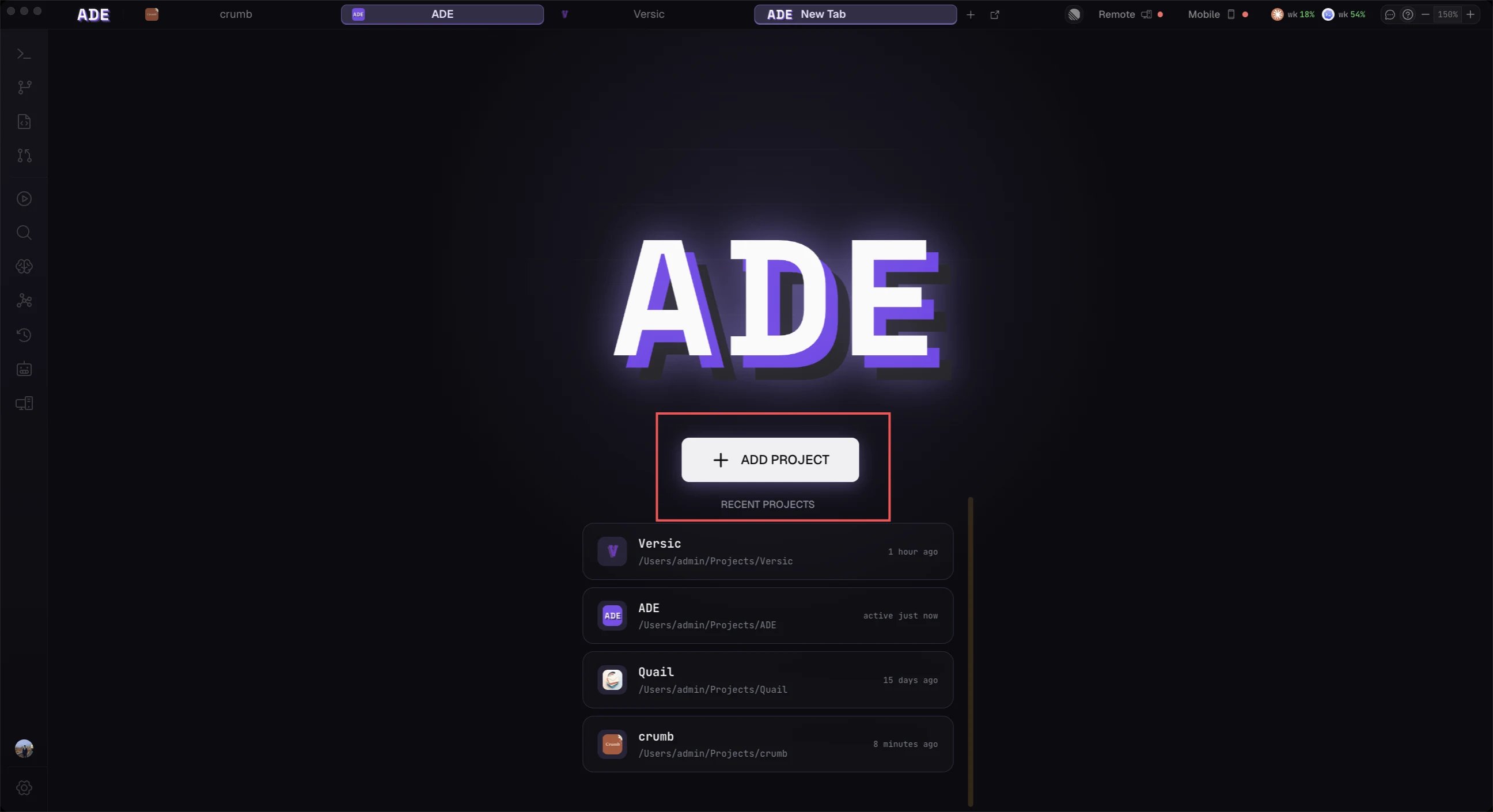
Add your first repository from the welcome screen
Install from your terminal
SHA256SUMS, and stages it under ~/.ade, rolling back if anything fails. There is no Node, npm, or other prerequisite.
It then registers the brain as a per-user background service, offers to sign you in with ade connect, and — on macOS and Windows — offers to install the desktop app too.
None of them need an administrator or elevated shell.
When no terminal is attached — CI, or a provisioning script — the installer skips its prompts and prints the follow-up commands instead.
ADE_INSTALL_NO_PROMPT=1 (or -NoPrompt for install.ps1) opts out explicitly. You can always run ade connect later.Or download the app
macOS — download
macOS — download
Download for Apple Silicon (M1 and later) or Intel, then drag ADE.app into
/Applications and launch it. If macOS asks for confirmation, choose Open.The app is signed and notarized, and keeps itself current from then on.macOS — Homebrew
macOS — Homebrew
/Applications. Update later with:Windows (beta)
Windows (beta)
Download the signed Windows installer for Windows 10/11 x64.It is a per-user NSIS installer: no administrator rights, and it installs the app, the
ade CLI, ade code, and the background ADE brain into your user profile. Read ADE on Windows for the capabilities that differ from macOS.Linux — the brain only
Linux — the brain only
There is no ADE desktop app for Linux, and none is needed. Install the brain with the one-liner above on any x64 or arm64 box, connect it to your account, and drive it from ADE on your Mac, Windows PC, phone, or the web.See Connect a machine for the full server workflow.
Install the iOS companion
Install the iOS companion
Open TestFlight on your iPhone and install ADE Mobile. Sign in with the same account to see your machines automatically, or pair directly from the desktop Mobile control.
Requirements
macOS 13+, Windows 10/11, or Linux
macOS on Apple Silicon or Intel, shipped as a signed, notarized app. Windows is in beta, x64 only — see ADE on Windows. Linux runs the brain headless on x64 and arm64.
Git
Required — ADE uses branches and worktrees to run lanes.
One AI provider
Needed to run agents. Connect it after launch — guest mode lets you explore first.
Launch and explore
Open ADE and you land on the welcome screen. ADE starts in guest mode — no sign-up, no account — so you can add a repository and look around right away. Connect a provider whenever you’re ready to run agents.ADE keeps itself current with a built-in auto-updater: it downloads new releases in the background and applies them on relaunch. Installed via Homebrew? Run
brew upgrade --cask ade instead.macOS is the generally available desktop platform. Windows 10/11 x64 is in beta: the app, brain, and CLI all run, but native OS computer use, the iOS Simulator drawer, and the Notch are macOS-only. ADE on Windows lists every difference. The iOS companion is available through TestFlight.
Next
Connect a machine
Put this machine on your account — or run the brain on a Linux server.
Connect a provider
Add Claude Code, Codex, Cursor, Factory Droid, or OpenCode.
Open a project
Point ADE at the Git repository you want it to manage.